Building a Gesture Vocabulary That Actually Makes Sense to Users
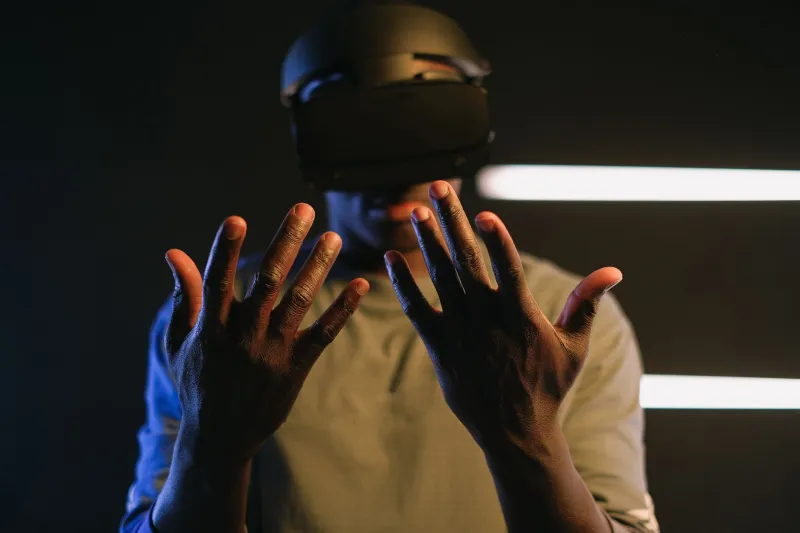
Here's a scenario most spatial web developers know too well: you spend weeks crafting a beautiful 3D interface, the interactions feel clever, the animations are silky smooth — and then a real user picks it up and immediately tries to do something your gesture system completely doesn't expect. They pinch when they should swipe. They tap when they should hold. They look at you like you've handed them a manual written in a foreign language.
That's not a user failure. That's a vocabulary failure. And it's one of the most underrated architectural problems in spatial UI development today.
Why Gesture Design Gets Treated Like an Afterthought
Most web developers come up through a world where input is predictable. You've got a mouse, a keyboard, maybe a touchscreen. The browser handles the heavy lifting. Interaction patterns are so well-established that you rarely have to think about why a right-click opens a context menu — it just does, because decades of muscle memory have made it feel natural.
Spatial computing blows that up entirely. There's no decades-long consensus on what a "pinch and drag" should do in a 3D environment, or whether a two-handed spread gesture means zoom or dismiss or something else entirely. Every platform — Vision Pro, Quest, HoloLens, WebXR on a phone — has its own conventions, its own quirks, and its own set of user expectations baked in from day one.
The result? Developers tend to bolt gesture interactions onto an existing UI rather than designing gesture systems from the ground up. And users end up lost.
Think in Grammars, Not Individual Gestures
Here's a useful mental shift: stop thinking about gestures as individual interactions and start thinking about them as a grammar — a structured system where different elements combine in consistent, predictable ways.
Linguists talk about grammar as the rules that let you generate and understand sentences you've never heard before. That's exactly what good gesture design should do. If a user learns that a single-finger tap means "select" and a two-finger tap means "select all," they should be able to reasonably infer what a single-finger hold might do — even if you never explicitly showed them.
To build that kind of system deliberately, start by mapping out your gesture primitives: the atomic actions your interface supports (tap, hold, swipe, pinch, spread, rotate). Then define combination rules. What does adding a second finger change? What does gesture duration change? What about gesture direction?
Document this like you'd document an API. Because honestly, that's what it is.
The Conflict Problem Nobody Talks About
One of the sneakiest issues in gesture system design is conflict — when two different intended interactions share enough physical overlap that the system (or the user) can't reliably distinguish between them.
Imagine you've mapped a slow two-finger drag to "pan" and a fast two-finger drag to "dismiss." Sounds reasonable in isolation. In practice, users will constantly trigger dismissals when they meant to pan, because speed is an unreliable differentiator under real-world conditions like hand tremor, varying grip, or just rushing through a task.
A practical approach here is to build a gesture conflict matrix early in your design process. List every gesture in your vocabulary along one axis, then map them against each other to identify pairs that share physical characteristics. For any conflicting pair, you've got three options: redesign one of them, add a clear modal separation (a distinct UI state where only one of the gestures is active), or accept the conflict and add error recovery so it doesn't feel catastrophic when it fires accidentally.
That last option is underused. Sometimes a conflict is unavoidable, but if your UI makes it trivially easy to undo an accidental action, users barely notice.
Cross-Platform Consistency Is Harder Than It Looks
If you're building for WebXR with the goal of supporting multiple devices — and you probably should be, given how fragmented the spatial computing market still is — gesture consistency across platforms becomes its own challenge.
Apple's visionOS has strong opinions about hand tracking interactions. Meta's Quest ecosystem has its own controller and hand-tracking conventions. A phone-based AR experience has neither of those, just a touchscreen and maybe a gyroscope. Trying to map a single gesture vocabulary across all three is genuinely hard.
The most pragmatic approach is a layered abstraction model. Define your gesture vocabulary at a high semantic level — "select," "expand," "navigate back" — and then write platform-specific gesture adapters that translate those semantics into the appropriate physical interaction for each device. This keeps your core UI logic clean and makes it much easier to add new platform support later without rewriting your interaction model from scratch.
It also forces you to think about whether a given interaction is truly essential or just a nice-to-have that doesn't translate well across contexts.
Testing Without a Headset (Seriously)
Here's the good news: you don't need a room full of Vision Pros to do meaningful gesture usability testing.
For early-stage vocabulary validation, simple paper prototyping works surprisingly well. Print out your interface states, hand them to a test participant, and ask them to physically demonstrate what gesture they'd instinctively use to accomplish a given task. Watch what they do. You'll immediately see where your assumptions diverge from theirs.
For more interactive testing, WebXR emulation tools — like the Immersive Web Emulator browser extension — let you simulate spatial inputs on a standard desktop setup. It's not perfect, but it's good enough to catch major gesture conflicts and navigation dead-ends before you ever put a headset on someone's face.
When you do get to headset testing, focus your sessions specifically on the moments of hesitation. Where does the user pause? Where do they try something that doesn't work? Those friction points are almost always vocabulary gaps — places where your gesture grammar doesn't match their instinctive expectations.
Record sessions and watch them back at half speed. Gesture interactions happen fast, and you'll catch things live that you'd otherwise miss entirely.
Make the Grammar Learnable
Even the best-designed gesture vocabulary needs to be taught. The key is doing it without interrupting the flow of the experience.
Contextual micro-tutorials — small, dismissible hints that appear the first time a user encounters a new interaction — work well in spatial UIs. So does progressive disclosure: start users with a minimal gesture set and introduce more advanced interactions as they demonstrate comfort with the basics.
Avoid the temptation to front-load a tutorial. Nobody wants to sit through a gesture onboarding sequence before they've had a chance to explore what your app actually does. Earn their attention first, then teach.
The goal is an interface that feels like it's meeting users where they are — not demanding they meet it on its terms. When you get gesture vocabulary right, users don't think about the gestures at all. They just think about what they're doing. That's the whole point.