So You Shipped a Surface App: The Production Chaos Nobody Warned You About
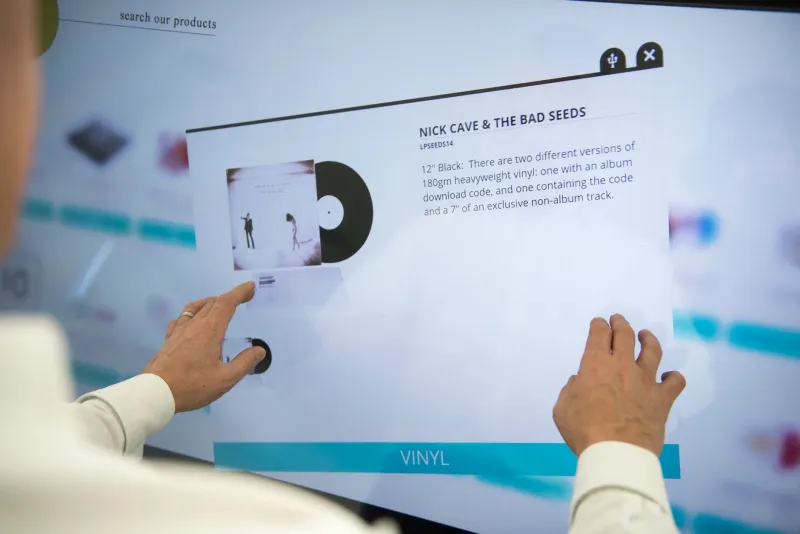
The demo went flawlessly. The investors leaned forward. The gestures were buttery smooth, the latency was imperceptible, and the whole experience felt like something out of a product launch keynote. Everyone in the room was impressed.
Then you shipped it to actual users.
What followed was — to put it generously — educational. Gesture recognition that worked perfectly in the office fell apart in a sunlit retail environment. Battery drain that seemed acceptable on your dev device turned into a 90-minute session limit on the hardware your client had already purchased. And the device fragmentation? Nobody had mentioned that the same interaction model would behave completely differently across the three hardware configurations your enterprise customer was running across their locations.
Welcome to surface computing in production. Population: developers who've learned some hard lessons.
The Demo Environment Is a Lie
Here's the uncomfortable truth about most surface computing demos: they're engineered illusions. Not intentionally deceptive, necessarily, but optimized for a set of conditions that almost never match real-world deployment.
Controlled lighting is the biggest silent killer. Infrared-based gesture recognition — the backbone of most surface and depth-sensing systems — is brutally sensitive to ambient light conditions. A setup that tracks hands perfectly in a dim conference room can completely fall apart near a south-facing window on a clear afternoon in Phoenix in July. If your device uses structured light or time-of-flight depth sensing, direct sunlight interference is a real and documented problem that your demo environment almost certainly never surfaced (pun intended).
Then there's the hardware monoculture problem. Dev teams tend to work on one device, or at most a small handful of similar configurations. But production environments are messy. Enterprise deployments especially. You might be shipping to a mix of Surface Hub generations, large-format touch displays from three different manufacturers, and kiosk hardware that was spec'd out 18 months ago by a procurement team that had never seen your app. Each of those has slightly different touch sampling rates, different palm rejection behavior, different GPU performance profiles. The cracks start showing fast.
Latency: The Experience Killer You Can't See in a Demo
In a controlled demo setting, you're probably running on a beefy dev machine, likely hardwired to a local network or not networked at all. Gesture processing is fast. Rendering is fast. Everything feels immediate.
Real production environments introduce latency from about a dozen different directions at once.
Network-dependent features — anything pulling live data, cloud-processed computer vision, real-time collaboration — suddenly have to contend with actual network conditions. A surface app that renders a live product configurator by fetching 3D assets from a CDN felt snappy in your office on gigabit fiber. It feels sluggish and broken on the 50Mbps connection at a trade show convention center where 3,000 other people are also hammering the WiFi.
The gesture-to-response latency threshold for surface computing is unforgiving. Research consistently puts the acceptable threshold around 100 milliseconds for touch interactions and even tighter for gestural input — somewhere around 50ms before users start perceiving lag. Go over that, and the magic evaporates instantly. Users don't think "there's latency" — they think "this is broken."
Strategies that actually help here: aggressive asset preloading, local-first architecture where interaction logic runs entirely on-device with network sync happening asynchronously in the background, and being ruthless about offloading any processing that doesn't need to happen in the critical rendering path.
Battery and Thermal: The Slow-Motion Crisis
This one sneaks up on teams that have been developing on plugged-in hardware. Surface computing workloads are genuinely brutal on batteries and thermal management systems.
Continuous depth sensing, active gesture tracking, high-refresh-rate rendering, and whatever application logic you've got running on top of all that — it adds up fast. A device that's spec'd at 8 hours of "normal use" might give you 3 hours running a demanding surface experience. That's not a rounding error. That's a deployment failure for any use case that needs to run through a full business day.
Thermal throttling is the sneakier problem. Most devices will start throttling CPU and GPU performance once they hit certain temperature thresholds — and they'll do it silently, without surfacing any obvious error. What you get instead is a gradual, mysterious degradation in performance over the course of a session. Gesture tracking gets less accurate. Frame rates drop. The experience that felt great at 9am feels sluggish and unreliable by noon. Teams frequently misdiagnose this as a software bug and spend days chasing it before someone puts a thermal sensor on the device.
Mitigation approaches: implement adaptive quality scaling that monitors device thermals and gracefully degrades rendering fidelity before throttling kicks in, build in background processing pauses during low-activity periods, and — critically — test on battery, in a warm room, for a full simulated shift before you call anything production-ready.
Gesture Recognition Drift and the Calibration Problem
Here's a scenario that plays out constantly in real deployments: your surface app is installed in a retail environment. Day one, it works great. By day five, gesture recognition is noticeably degraded. By day ten, users are giving up and walking away.
What happened? A few things, probably.
Depth sensors and cameras drift. Mounting positions shift slightly as hardware settles or is bumped by cleaning crews. Ambient conditions in the space change — a seasonal display went up nearby, reflecting light differently. The surface itself got dirty or scratched in ways that affect optical tracking.
None of this is catastrophic in isolation. Collectively, it compounds into a broken experience.
The production lesson here is that calibration can't be a one-time setup step. It needs to be an ongoing process, ideally automated. Build self-calibration routines into your app that run during off-hours. Log gesture confidence scores in production telemetry so you can detect drift before users start experiencing it. Make re-calibration something that on-site staff can trigger from a simple admin interface — not something that requires a developer to fly out.
Device Fragmentation Is Worse Than Mobile Ever Was
Mobile developers have been complaining about Android fragmentation for a decade. Surface computing fragmentation is arguably worse, because the variance isn't just screen size and OS version — it's fundamentally different sensor hardware, different interaction paradigms, and different driver-level behavior.
A pinch-to-zoom gesture on one manufacturer's large-format touch display might have completely different palm rejection behavior than the same gesture on a competitor's hardware. Depth sensing accuracy varies dramatically between time-of-flight, structured light, and stereo camera approaches. Touch sampling rates range from 60Hz on older enterprise hardware to 240Hz on newer consumer-grade devices — and your interaction model will feel completely different across that range.
The practical response to this isn't to test on everything (you can't). It's to build a robust hardware abstraction layer into your app architecture from day one, define capability tiers that map to realistic hardware profiles, and implement graceful degradation so that lower-capability devices get a simpler but still functional experience rather than a broken one.
Ship Slow, Learn Fast
The teams that navigate this transition most successfully share a common approach: they treat the first production deployment as an extended beta, instrument everything aggressively, and build feedback loops that let them iterate quickly based on real-world signal rather than demo-room assumptions.
Phased rollouts matter a lot here. Don't ship to your full install base at once. Ship to one location, instrument it heavily, watch what breaks, fix it, then expand. The blast radius of a production failure in surface computing can be significant — a broken kiosk in a retail environment isn't just a software bug, it's a physical experience that turns customers away.
The spatial web is genuinely exciting. Building for it is some of the most interesting work in tech right now. But the gap between a great demo and a great production deployment is real, it's wide, and the teams that close it are the ones who stop treating production as the finish line and start treating it as the beginning.