Touch, Swipe, Build: How Surface Computing Is Flipping the Developer Playbook in 2025
Remember when responsive design was the big revolution? Developers scrambled to make websites look halfway decent on a 320px-wide smartphone screen, and for a while, that felt like enough. Fast forward to 2025, and the goalposts have moved again—except this time, they've moved in three dimensions.
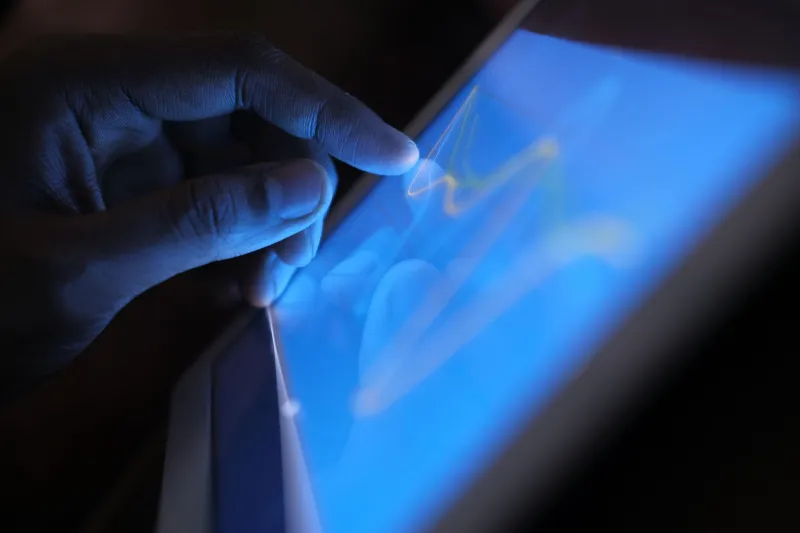
Surface computing—the umbrella term for touch-driven, gesture-based, and spatially aware interfaces—has gone from a niche curiosity to a genuine development priority. Whether you're building for a Microsoft Surface tablet, an Apple Vision Pro, or the growing ecosystem of wearables that demand glanceable, tap-friendly experiences, the old assumptions about how users interact with your product are quietly becoming obsolete.
So what does this mean for working developers? Quite a bit, actually.
The Hardware Shift Nobody Fully Prepared For
Microsoft's Surface lineup has been quietly eating into the enterprise and creative professional markets for years. But 2025 feels different. Surface Pro devices are showing up in hospital rounds, construction sites, and retail floors—environments where a traditional laptop would be laughably impractical. Meanwhile, Apple Vision Pro has moved past its "expensive curiosity" phase and is landing in real workflows at companies like IDEO and several major US architecture firms.
What all of these devices share is a fundamental departure from pointer-based interaction. Fingers, hands, and eyes are the new cursor. And if your web app still thinks in terms of hover states and right-click menus, you've got some refactoring ahead of you.
The screen itself—the surface—has become the interface. That's not just a philosophical shift; it has real technical consequences for anyone writing production code.
Frameworks That Actually Get It
The good news is that the tooling has started catching up. A few frameworks and libraries worth knowing about right now:
React with Pointer Events API — React's event model has supported the Pointer Events API for a while, but developers are finally leaning into it properly. Pointer events unify mouse, touch, and stylus input into a single event stream, which is exactly what you want when you can't predict whether a user is tapping with a finger or a Surface Pen.
Framer Motion — Already popular for animation, Framer Motion's gesture support has become genuinely robust. Drag, pan, and pinch interactions that feel native on a touchscreen are achievable without pulling your hair out.
SpatialJS and Immersive Web APIs — For Vision Pro and WebXR-capable browsers, the Immersive Web Working Group's APIs are maturing fast. SpatialJS, a newer player in this space, abstracts a lot of the complexity for developers who want to dip into spatial UI without going full native.
CSS Interaction Media Queries — @media (pointer: coarse) and @media (hover: none) are underused gold. These let you tailor layouts and interaction patterns specifically for touch-first devices without writing a separate codebase.
None of these are magic bullets, but together they form a toolkit that makes surface-aware development a lot more approachable.
Real Companies, Real Pivots
It's easy to talk about this stuff in the abstract. Let's look at what's actually happening out in the wild.
Procore Technologies, a US-based construction management platform, has been aggressively optimizing its field app for Surface tablets used on job sites. Their dev team publicly discussed moving away from dropdown-heavy interfaces toward large-target tap zones and swipe-based navigation—changes driven entirely by the reality that workers in gloves can't precisely tap a 12px link.
Figma is another instructive case. Their iPad app isn't just a scaled-down version of the desktop product—it's a rethought experience built around Apple Pencil and touch-first workflows. The desktop and surface versions share a design system but diverge significantly in interaction patterns. That kind of intentional divergence is something more dev teams need to plan for.
On the spatial side, early adopters in the medical imaging space—including teams at several US university hospitals—are using Vision Pro for reviewing 3D scans. The web-based interfaces being built for these workflows are essentially net-new design paradigms, borrowing almost nothing from traditional screen-based UI conventions.
What This Means for Your Workflow
Here's the practical takeaway: if you're a web developer and surface computing isn't at least on your radar, you're accumulating a kind of technical and experiential debt that's going to be annoying to pay back later.
Some concrete steps worth taking now:
- Test on actual touch devices. Browser DevTools touch emulation is useful but imperfect. Grab a cheap Android tablet or borrow a Surface if you can. The difference between simulated touch and real touch is still significant.
- Audit your tap target sizes. WCAG recommends at least 44x44px. Many production apps still fall short. This matters more than ever.
- Rethink hover-dependent UI. Tooltips, dropdown menus, and hover-revealed actions are all touch-hostile patterns. Start planning replacements.
- Explore WebXR, even casually. You don't need to ship a spatial app tomorrow, but understanding the API surface will put you ahead of the curve.
The surface is no longer just a metaphor. It's the product. And the developers who internalize that early are going to have a real edge as these platforms scale.
The shift from desktop to wrist—and everything in between—isn't coming. It's already here. The question is whether your codebase is ready to meet it.