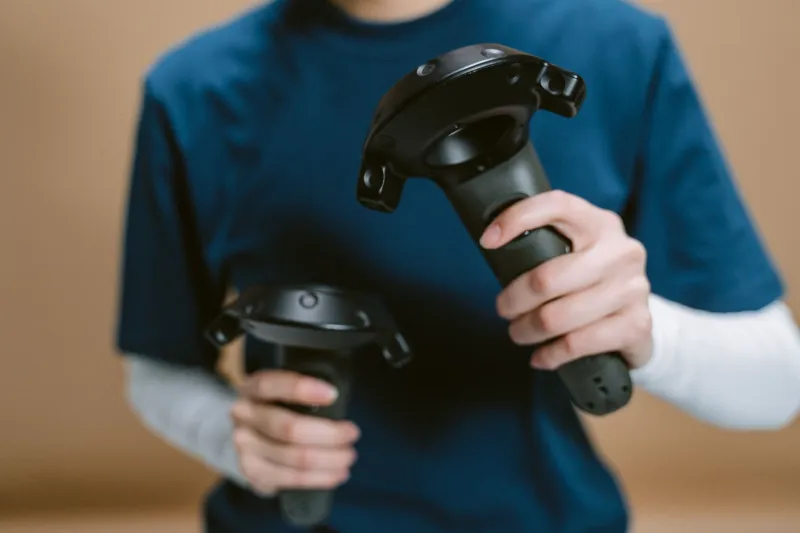
Debugging Blind: How Your Mouse Is Lying to You About Your Spatial App
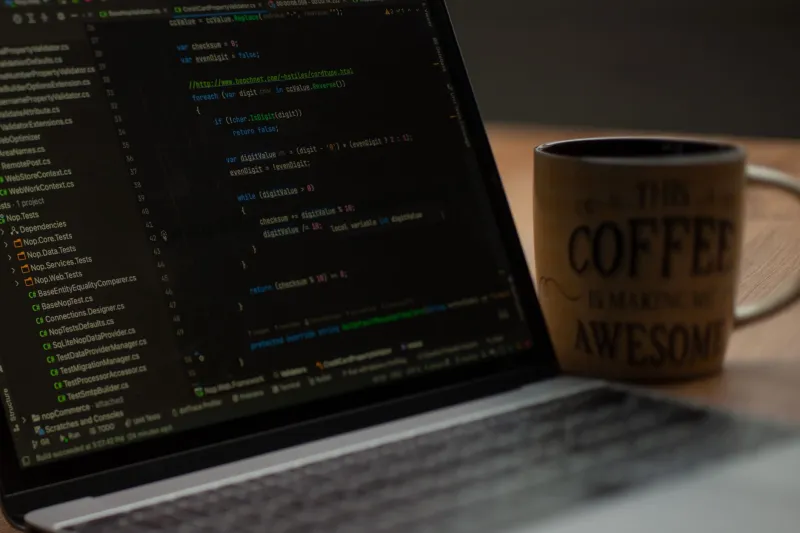
There's a deeply uncomfortable truth hiding inside most spatial web development workflows: the tools we use to build and debug these experiences are fundamentally incompatible with the way users actually interact with them.
You're clicking through a Chrome DevTools panel, mousing over DOM elements, firing synthetic events with a pointer device — and somewhere out in the real world, a user is waving their hand through empty air wondering why your app keeps misreading their pinch gesture as a scroll. That gap? It's not a bug. It's a structural problem baked into the entire debugging paradigm.
The Pointer Is a Lie (For Your Use Case)
Mouse-and-keyboard input is deterministic. You click a pixel, an event fires, a handler runs. The coordinate space is flat, the input is binary, and the browser's event model was designed around exactly this kind of precision.
Hand tracking and gesture input are none of those things. They're probabilistic, three-dimensional, and deeply sensitive to real-world variables — lighting conditions, hand orientation, distance from the sensor, even whether a user is left-handed. When you test a gesture interaction by simulating it with a mouse click, you're not testing the same thing at all. You're testing a shadow of it.
This matters more than most developers realize. The confidence you build from a clean mouse-driven test run can actually make things worse — it creates false assurance that gets shipped straight into production.
What Your Dev Tools Can't See
Chrome DevTools, Firefox's debugger, even the best browser-based profiling tools were architected around a 2D pointer model. They're exceptional at what they do. But when your app lives in three-dimensional space and responds to hand joints, wrist rotations, and multi-finger gestures, those tools have some serious blind spots.
Event fidelity gaps. The pointerdown and click events you're firing in your test environment don't carry the same metadata as real XR input events. Hand tracking systems generate input through WebXR's XRInputSource API, which surfaces data about grip orientation, target ray space, and hand joint positions. None of that shows up when you're simulating input with a mouse.
Timing and jitter blindness. Gesture recognition has inherent timing variability. A real user's pinch-to-select might take anywhere from 80 to 400 milliseconds depending on their familiarity with the interface. Mouse clicks are instant and repeatable. If your gesture handler has a timing threshold that works fine in pointer simulation but chokes on real-world variability, you won't catch it until someone's in a headset.
Spatial coordinate mismatches. Your mouse operates in screen space. Hand tracking operates in world space, transformed through camera matrices and depth estimation. When you simulate a gesture by clicking a 2D canvas element, you're bypassing the entire coordinate transformation pipeline that real gesture input travels through. Bugs in that pipeline are invisible to you.
Breaking Out of the Pointer Paradigm
So what do you actually do? The good news is that you don't need a full XR hardware lab to close most of these gaps.
Synthetic XR Input Injection
Browsers like Chrome have started shipping WebXR emulation tools that let you inject synthetic XR sessions directly into the browser. The WebXR API Emulator extension from Mozilla is worth having in your toolkit — it lets you simulate headset and controller positions through a visual interface, which gets you closer to real XR input without leaving your desk.
It's not perfect. You're still using a mouse to control a simulated hand. But you're at least exercising the XR input pipeline rather than bypassing it entirely.
Gesture Recording and Playback
If you have any access to real XR hardware — even briefly, even borrowed — record gesture sessions and play them back during debugging. Tools like the WebXR Input Profiles viewer can help you understand the shape of real input data. Some teams go further and build lightweight gesture loggers into their staging environments, capturing real hand tracking data from beta users and replaying it locally.
This approach is underused and genuinely powerful. You're debugging against real input rather than synthetic approximations.
Event Simulation That Actually Matches XR Input Shape
If you're writing unit tests or integration tests for gesture handlers, stop using MouseEvent constructors. Build test utilities that generate XRInputSourceEvent shapes with realistic joint position data. It's more work upfront, but your tests will catch a whole category of bugs that mouse-simulated events simply cannot surface.
Libraries like @react-three/xr and handy-work have community-contributed testing utilities that are worth pulling in rather than rolling your own.
Invest in Observability, Not Just Testing
Here's a mindset shift that pays dividends: treat your gesture input layer like a distributed system. Add structured logging around gesture recognition events — log the raw joint positions, the recognized gesture type, the confidence score if your recognition library exposes one, and the resulting action. Ship that to your logging infrastructure.
When something breaks in production, you'll have actual data to debug against instead of trying to reproduce a hand tracking failure with a mouse.
The Organizational Problem Nobody Talks About
There's a meta-issue lurking underneath all of this that's worth naming directly. Most developer workflows, code review processes, and QA pipelines were built for pointer-first interfaces. When a spatial app ships with gesture bugs, it often doesn't get caught in review because reviewers are clicking through the demo on their laptops.
Fix the tools, sure. But also fix the process. If your team is shipping spatial experiences, gesture testing needs to be a first-class part of your definition of done — not an afterthought that happens if someone happens to have a headset nearby.
That might mean designating specific sprint time for device testing. It might mean investing in a shared XR device that lives in the office. It might just mean being honest in your PR descriptions about what was and wasn't tested with real gesture input.
The Bigger Picture
The spatial web is still young enough that most teams are figuring this out as they go. The tooling will get better — browser vendors are actively working on more robust XR debugging capabilities, and the WebXR community is pushing hard on emulation and testing infrastructure.
But right now, in 2025, the gap between pointer-centric debugging and gesture-first reality is real, and it's shipping bugs into production every day. The developers who build great spatial experiences aren't the ones waiting for perfect tools. They're the ones who understand the limitations of what they have and build methodologies that compensate for it.
Your mouse is a great tool. It's just not the right tool for this job. The sooner your workflow reflects that, the better your apps are going to feel in actual human hands.